
What we built, and what changed
HubSpot and Revenue Operations builds across the customer journey. Each case covers the problem, the build and the result. Client names are kept private.
Attract and qualify
From the first website visit to a qualified lead with the right owner.
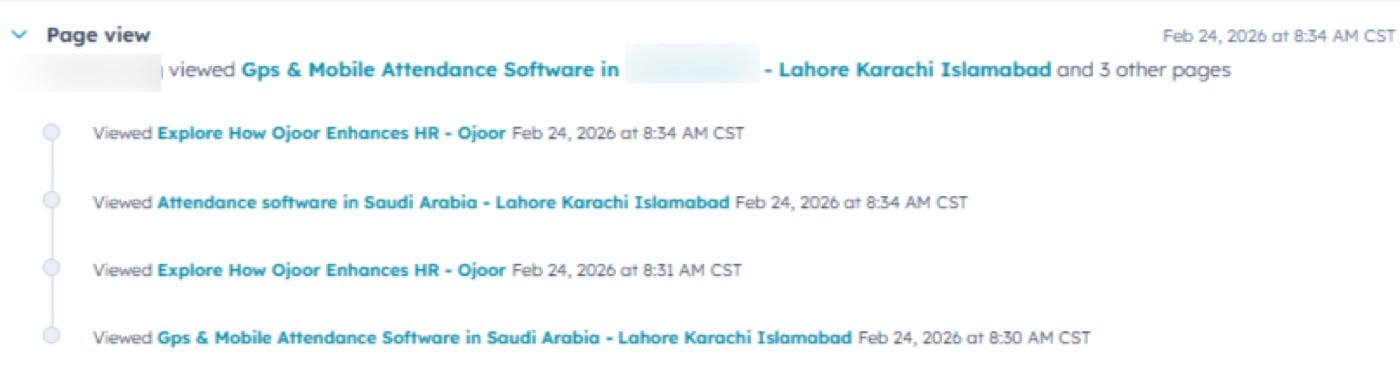
00 · Website TrackingWebsite tracking & first-touch attribution
Before anyone fills a form, I already know who they are, where they came from, and what they care about. Full visitor tracking and source attribution built into HubSpot from day one.
100% source tracked on every contact
Read the case study
The challenge
No visibility into what contacts were doing on the website: sales had no idea which pages a lead visited, what content they engaged with, or where they came from before submitting a form.
Marketing spend had zero attribution. Teams couldn't tell which channels were driving qualified leads vs. wasted budget.
The solution
Activated HubSpot tracking across all pages with UTM parameter capture: every visit, source, medium, campaign, and content stamped automatically on contact creation.
Built a full attribution model: first touch, last touch, and multi-touch all visible on the contact timeline before the first sales call.
The impact
- 100% of leads have source tracked on creation
- Sales reps arrive with full visit history and behavior context
- AI-assisted prospecting enabled on real interest signals
- Marketing ROI became measurable, and budget moved to the highest-converting channels
02 · ICP & Data QualityICP definition, market segmentation and CRM data quality
Who is the ideal customer? What segment do they belong to? Is the CRM data clean enough to tell you? These three questions have to be answered before any routing, scoring, or reporting can work properly.
5 market segments Knowledge, Service Frontline, Industrial, Infrastructure, and Public Sector, each with distinct buying behaviors and product fit
Read the case study
The challenge
The CRM had contacts with missing industries, wrong countries, duplicate records, and no clear ownership. Leads came in without segment tags: no one knew which product tier or sales motion applied.
No agreed definition of what a good customer looked like. Sales picked leads on gut feel. Marketing ran campaigns to everyone.
The solution
Built a structured segmentation framework across five market segments mapped to industries, company size bands, and workforce type. This framework lives natively inside HubSpot: every contact and company tagged consistently.
Full CRM data validation: enriched records, deduplicated contacts, added decision-maker flags, and built an ICP scoring model that scores inbound leads before they reach a rep.
The impact
- ICP-fit leads identified before any rep touches them
- Segment tags applied consistently across all contacts
- CRM data completeness went from patchy to structured
- Sales focused time on the right company profiles
- Reporting by segment became possible for the first time
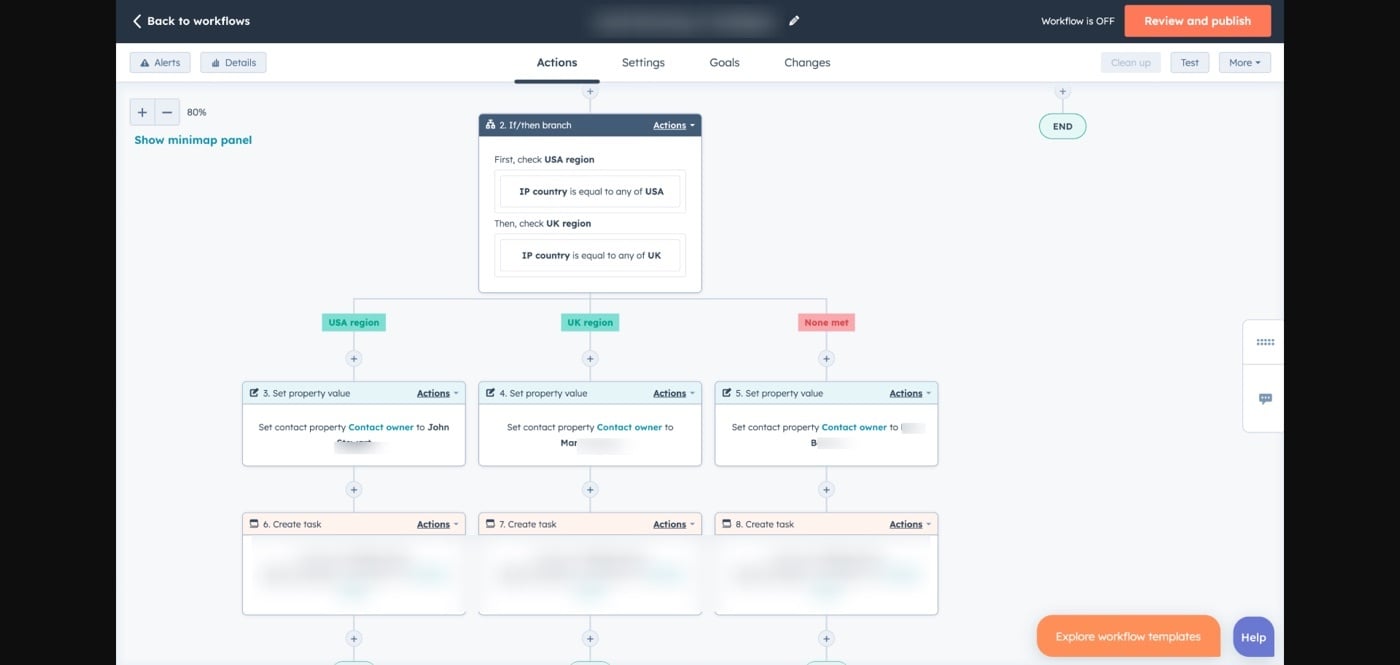
01 · Lead RoutingLead routing by region & language
A form submits. The system reads region and language, gives the right rep a task and starts the SLA clock, with no manual assignment.
Regional routing Auto-assigned by country and city signals
Read the case study
The challenge
Leads were piling up unassigned or landing with the wrong rep: wrong region, wrong language. Manual assignment took 6 to 24 hours, and by then, prospects had already lost interest.
No SLA tracking meant no accountability. High-intent leads were treated the same as cold ones.
The solution
Built an automated routing engine in HubSpot that evaluates country, city, and preferred language on every new contact, then assigns the correct rep instantly with a task and SLA clock.
Round-robin fallback for unknown regions. Arabic-language leads always route to Arabic-speaking reps regardless of geography.
The impact
- Assignment time dropped from 6-24 hours to under 15 minutes
- Zero misrouted leads after implementation
- SLA compliance tracked live on dashboard
- Rep response rate increased due to lead context in notification
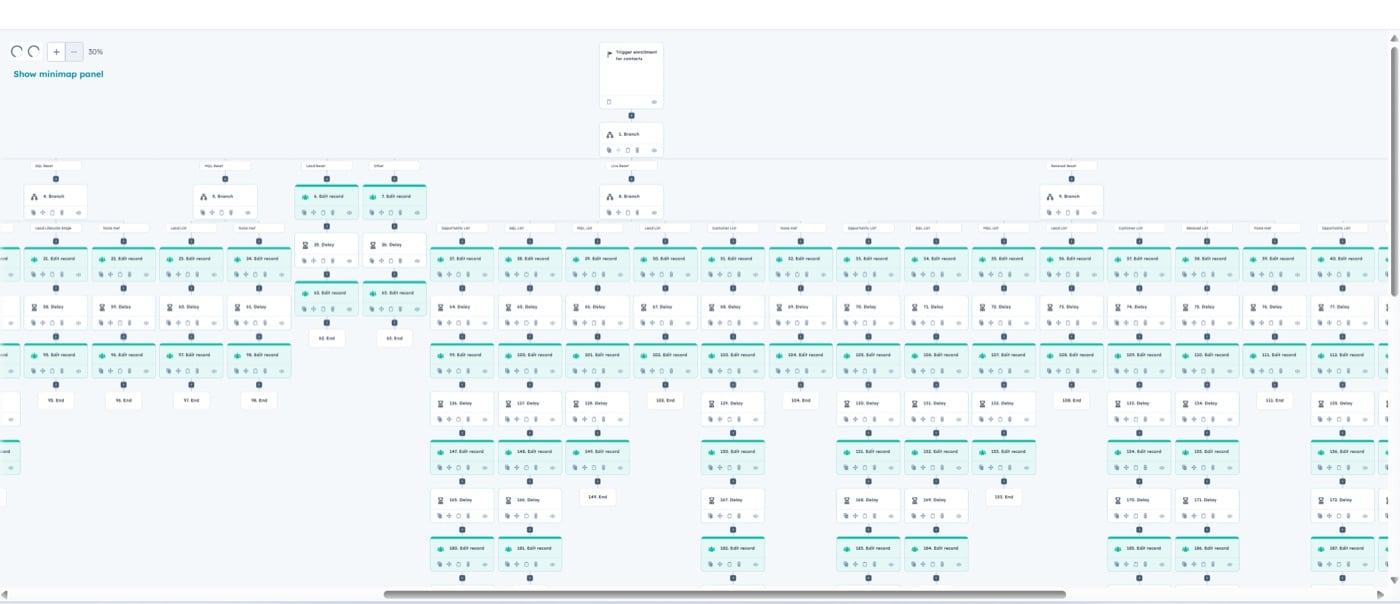
03 · Lifecycle & Lead StagesLifecycle stage management & lead stage automation
Lifecycle tracks the full relationship. Lead Stage tracks the pre-sales rep's daily working status. Both move automatically, so reps never update them by hand.
Read the case study
The challenge
Lifecycle stages were either missing or manually updated, meaning the data was always wrong. Sales couldn't trust the CRM. Marketing couldn't segment accurately.
No distinction between a contact's overall relationship stage and a rep's working status. Everything lived in one messy field.
The solution
Built an 8-stage lifecycle framework (Subscriber → Evangelist), driven entirely by behavior triggers and deal data, with zero manual updates.
Implemented HubSpot's native Lead object with 6 working stages that auto-advance based on call dispositions logged by the pre-sales team.
The impact
- 100% of contacts have accurate lifecycle stage at all times
- Zero manual stage updates required from any team
- MQL to SQL response time cut from 4 days to 18 hours
- 500,000+ historical records corrected and restamped
- Pre-sales rep performance now measurable by stage conversion
Lifecycle stages
- SubscriberSigned up, downloaded, or subscribed
- LeadAny conversion: form filled, chat started
- MQLScore threshold reached
- SQLSales accepted, BANT confirmed
- OpportunityDeal created
- CustomerClosed won, subscription live
- RenewalRenewal pipeline active
- EvangelistNPS 9-10, referring others
Lead stages (pre-sales working status)
- NewAssigned
- AttemptingReaching out
- ConnectedFirst contact
- OpenConversation
- QualifiedBANT done
- UnqualifiedDQ logged
Convert
Meetings that happen, pipelines people trust and a sales process the team follows.
04 · Meeting AutomationDemo & quote booking automation
No-shows dropped from 35% to 12%. Every pre-meeting touch and post-meeting action runs automatically.
35% → 12% no-show rate after automation
Read the case study
The challenge
No-show rates were hitting 35%. Reps had no context before calls. Post-meeting follow-up was inconsistent: some reps sent it, most forgot.
Meeting booking lived outside HubSpot: no deal creation, no contact update, no visibility into whether demos were happening at all.
The solution
Built HubSpot Meetings booking links with custom intake forms for each rep. On booking: deal auto-created, contact stage updated, rep notified immediately.
Pre-meeting: T-24h reminder to prospect, T-1h SMS nudge, T-30min rep briefing. Post-meeting: outcome logged → next step auto-triggered based on result.
The impact
- No-show rate dropped from 35% to 12%
- Qualified → Demo held cut from 5 days to 2.1 days
- 100% of post-demo follow-ups now automated
- Reps arrive with full contact history and prep brief
- No-show recovery sequence reduced lost opportunities by 40%
05 · Deal PipelineDeal pipeline architecture & stage gates
Stage gates keep data clean. Stale deals surface automatically. Win rate up 18% in two quarters.
Read the case study
The challenge
Pipeline was unreliable: deals stuck in wrong stages, no required fields enforced, close dates never updated. Forecasting was guesswork.
Stale deals sat for weeks with no activity. At-risk opportunities were only spotted after they were already lost.
The solution
Architected a 7-stage sales pipeline with mandatory entry/exit criteria. No deal advances without its required properties: email, amount, close date, BANT, demo outcome and contract upload.
Stale deal automation: flags deals after 7-14 days of inactivity → auto-task for owner → manager alert → At Risk property set for leadership dashboard.
The impact
- Win rate improved +18% within two quarters
- Pipeline data completeness from 55% to 96%
- 100% of at-risk deals flagged proactively
- Average deal velocity reduced by 22%
- Forecasting accuracy improved significantly
Pipeline stages
- CreatedDiscovery
- Call setDemo
- HeldProposal
- SentNegotiation
- In review
- Closed WonSigned ✓
The CRM reality check: what I always audit first
Before a pipeline, workflow, or dashboard can be trusted, the foundation has to be solid. These five things consistently show up broken when I start with a new client.
Document what reps really do, not the theoretical process, and get everyone to agree on it.
Fields nobody updates slow reps down and clutter reports.
So reporting makes sense across all teams simultaneously.
Too many stages = reps park deals and never move them.
Outdated workflows cause more damage than having no automation at all.
05B · GTM PlaybookGTM playbook, sales methodology and commission structure
A pipeline without a methodology is just a list of deals. The GTM playbook defines how reps qualify, how they progress, and what good looks like at every stage.
Read the case study
The challenge
Every rep had their own version of how to sell. Qualification criteria were informal. Forecasting was unreliable because stages meant different things to different people.
Commissions were calculated manually every quarter with disputes and corrections. Reps had no visibility into their own earnings until end of period.
The solution
Built and documented a full GTM playbook inside HubSpot covering sales methodology, stage definitions, gate criteria, and SDR to AE handoff process. Every stage has a clear definition, entry requirement, and exit check.
Commission policy built into HubSpot reporting, so reps see their own progress against quota in real time. Quarterly tiers and upfront bonuses calculated automatically.
The impact
- Consistent qualification across all reps and regions
- SDR to AE handoff criteria clear and enforced in HubSpot
- Forecast accuracy improved after stage standardization
- Commission visibility gave reps real-time quota progress
- Commission disputes dropped to near zero
06 · Won / Lost IntelligenceLost reason tracking & won → subscription activation
A loss becomes competitive intelligence. A win activates a subscription in minutes with zero manual steps.
Read the case study
The challenge
Lost deals had zero captured intelligence: no reason, no notes, no visible pattern. The same competitive losses happened every quarter because no one could identify why deals were being lost.
When deals were won, onboarding started days later. CS had no context. Finance wasn't notified until someone remembered. Every handoff was manual and frequently dropped.
The solution
Built a mandatory loss capture system: a rep cannot mark Closed Lost until Loss Reason and Loss Notes are filled. Competitor losses auto-flag to the Product team.
Won deal automation: T+0 subscription stamped + CS assigned + welcome email. T+1 kickoff invite. T+2 finance alerted. T+3 invoice auto-generated. Zero manual steps required.
The impact
- Loss reason capture went from 0% to 100%
- Monthly loss intelligence report informs sales strategy
- Competitor patterns shared with Product automatically
- Closed Won → subscription live: same day (was 3-5 days)
- Zero missed CS handoffs, with 100% automated coverage
Retain and grow
Billing, onboarding, support and customer success that run without chasing.
07 · Billing AutomationSubscription billing & invoice automation
The entire billing lifecycle automated. Finance only touches what truly needs a human.
Read the case study
The challenge
Invoices were sent manually and inconsistently. Overdue payments went unnoticed for weeks. Renewal conversations happened too late, or not at all.
MRR/ARR tracked in spreadsheets updated by hand. No early warning system for churn risk tied to unpaid invoices.
The solution
Connected HubSpot to billing: invoices auto-generated on Closed Won from deal line items. Full reminder sequence: T-7 reminder, T-1 final notice, T+3 overdue to billing, T+14 escalation to CEO/Finance.
Renewal deal auto-created 90 days before contract end. HubSpot Subscriptions tracks every active contract, with MRR, ARR and contract value live on the deal record.
The impact
- Finance admin on billing reminders reduced to near zero
- 100% of renewals auto-created, none forgotten
- Overdue invoice visibility: live dashboard vs manual tracking
- MRR/ARR tracked in real time inside HubSpot
- Churn risk flagged early: overdue invoice + low NPS triggered together
Billing lifecycle
- WonTrigger
- InvoiceAuto-created
- Due −7dReminder
- Due datePayment
- +3 daysFollow up
- +14 daysEscalation
- Renewal −90Auto-prep
07B · Onboarding OperationsOnboarding pipeline from deal closed to customer active
From the moment a deal closes to the moment a client is fully live: every step is documented, assigned and tracked, so handoffs and tasks don't get dropped.
Read the case study
The challenge
Onboarding was ad hoc. Different CSMs ran it differently. Some clients got a full kickoff on day one. Others waited a week with no contact. When a CSM was sick, nothing happened for that client.
Sales closed deals and threw them over the wall. CS had no deal context, no signed contract details, and no clarity on what was sold.
The solution
Built a structured onboarding pipeline with six defined stages: Deal Closed, Welcome, Kickoff, Account Setup, Training, and Go Live. Each stage has mandatory tasks, SLA timers, and automated communications.
Sales-to-CS handover requires all mandatory deal fields filled before transition. CSM, Activation Specialist, and Account Manager assignments all happen automatically on Closed Won.
The impact
- Closed Won → first client contact: same day (was 3-5 days)
- Every onboarding follows the same documented process
- CSM always has full deal context before the first call
- Onboarding tracked by stage and by account
- SLA breach triggers manager alert automatically
- CSAT collected at Account Setup to catch friction early
Onboarding stages
- Deal ClosedHandoff triggered
- WelcomeIntro sent
- KickoffMeeting held
- Account SetupConfig done
- TrainingTeam trained
- Go LiveActive ✓
08 · Customer SuccessCS workspace for health, NPS, renewal and expansion
The HubSpot Customer Success Workspace gives CS teams everything they need to see every account, act on every risk, and track every renewal without opening a spreadsheet.
Healthy 80-100 Monthly auto check-in · referral sequence starts · expansion deal reviewed
Read the case study
The challenge
Customer success was entirely reactive: CS only found out about problems when clients complained or when it was too late to save the renewal. No health score, no early warning, no expansion tracking.
NPS collected manually with a 10% response rate. Renewals created when CS remembered. CS, Sales, and Support operated in complete silos.
The solution
Built a full CS ops layer: 8-stage CS pipeline, 5-signal health scoring engine (NPS + usage + tickets + invoices + onboarding) updated weekly by Operations Hub. Automated NPS at Day 60, escalation paths for critical accounts, renewal auto-creation at T-90.
Connected Sales, CS, and Support into one system. The CS Workspace is the control center: every account health, renewal, flag, and task visible in one view.
The impact
- NPS response rate jumped from 10% to 68%
- Renewal coverage: 100% automated, with zero missed
- CS admin time from 60% to 15% of the work week
- Expansion pipeline: 0% visibility → fully tracked
- At-risk accounts actioned within 24-hour SLA
- Health score: gut feel → 100% data-driven
| Signal | Weight | Healthy | At risk | Critical |
|---|---|---|---|---|
| NPS score | 30% | 8-10 | 6-7 | Below 6 |
| Product usage | 25% | Last 7 days | 8-20 days | 21+ days |
| Support tickets | 20% | 0-1 open | 2-3 open | 4+ |
| Invoice status | 15% | Paid on time | 1-14 days late | 15+ days |
| Onboarding | 10% | 100% | 50-99% | Below 50% |
09 · Support & TicketingHubSpot Service Hub ticketing system
Every support request logged, routed, prioritized, and tracked inside HubSpot Service Hub. No ticket falls through the cracks. No SLA gets missed silently.
Ticketing system Auto-assignment by category, SLA breach alerts, ticket volume feeding health score, P1 instant alerts
Read the case study
The challenge
Support requests came in from email, WhatsApp, and phone with no central place to track them. Reps picked tickets informally. SLAs were verbal agreements nobody tracked.
When a client escalated, the CS team had no ticket history to reference. Every handoff was a conversation from memory.
The solution
Configured HubSpot Service Hub as the central ticketing layer. Every incoming request converted to a ticket automatically with category, priority, and owner assigned by pipeline rules. SLA timers start the moment a ticket is created.
Ticket pipelines built per function: technical support, billing queries, onboarding blockers, and escalations all have their own stages, owners, and SLA thresholds.
The impact
- 100% of support requests logged and tracked in one place
- SLA breach rate visible in real time for the first time
- P1 ticket triggers instant alert to CS owner and manager
- Ticket volume feeds directly into customer health score
- Support history visible on every contact and company record
- CSAT survey auto-sent when ticket closes
Measure
One set of numbers for every team.
10 · Reporting & DashboardsReporting architecture & dashboard systems
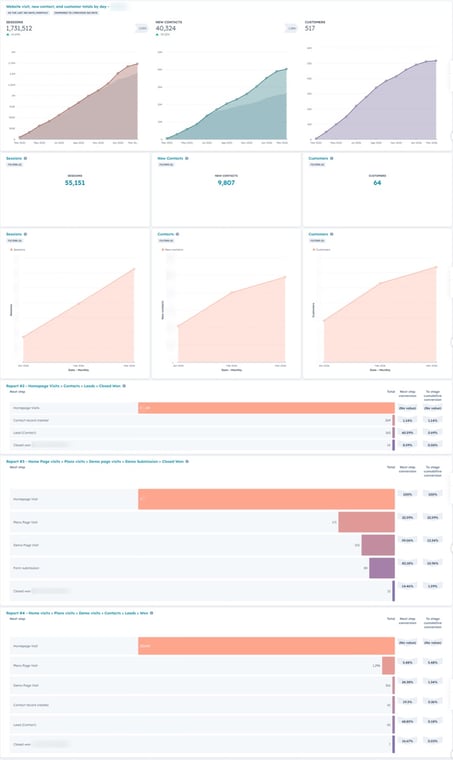
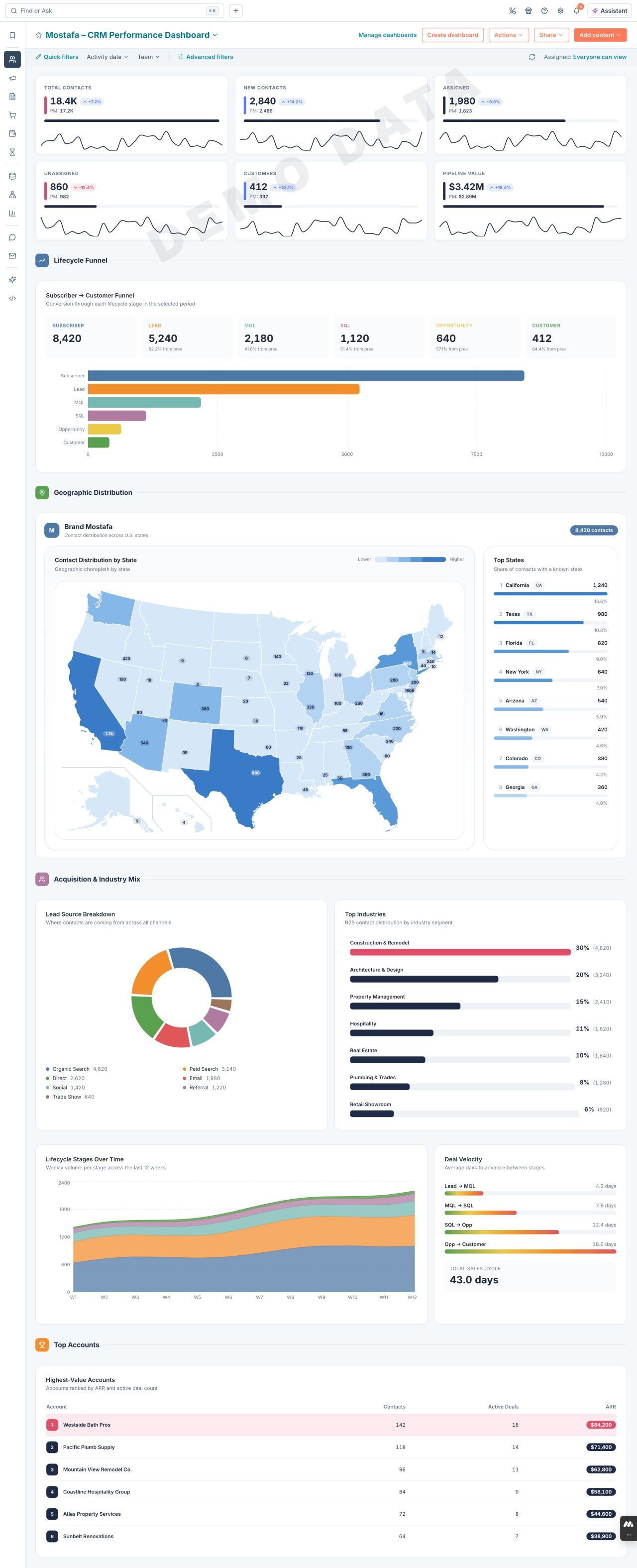
Every system I build gets a dashboard. HubSpot reporting, Tableau visualizations, and custom views that give leadership the numbers they need without asking anyone to pull a report.
Read the case study
The challenge
Leadership asked the same questions every week: "How's the pipeline? Where are we on quota? What's the NPS trend?" Every answer required someone to manually pull data from three different places.
Reports were stale by the time they landed. Sales, Marketing, and CS all had different numbers for the same metric, so nobody trusted the data.
The solution
Built a layered reporting architecture: HubSpot native dashboards for ops-level visibility (pipeline health, rep performance, lifecycle conversion), and Tableau for executive-level data storytelling across multiple data sources.
Every section of this portfolio has a matching dashboard: tracking, lifecycle, pipeline, CS health, billing and support. One source of truth, always live.
The impact
- Weekly status meetings replaced by self-serve dashboards
- Pipeline review prep time dropped from 2 hours to 10 minutes
- Every team working from the same numbers simultaneously
- Executive Tableau reports updated automatically, with zero manual exports
- Data trust restored: clean inputs → reliable outputs
Let's make the trains run on time
If you're using HubSpot, you need a working system more than you need another tool.